Markdown on the left, a typeset page on the right, redrawn as you write.
Letur is an editor for writing that ends as a PDF. You write markdown — with captions,
figures, references, math and citations — and beside it the page is set in the type you
are reading now.
Runs in this browser. Nothing to install, and no server sees your text.
What the markdown can say
Twelve examples. Beside each source is the page Letur sets from it — or,
for the three it refuses, what it says instead — and beneath, closed, the same text as
plain HTML, which has no way to show what it means. Open any of them in Letur to change
it and watch the page follow. The
README lists
everything the markdown may contain.
Captions, figures and references
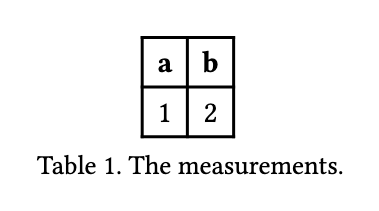
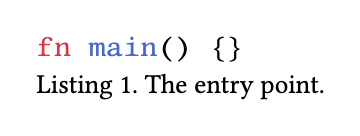
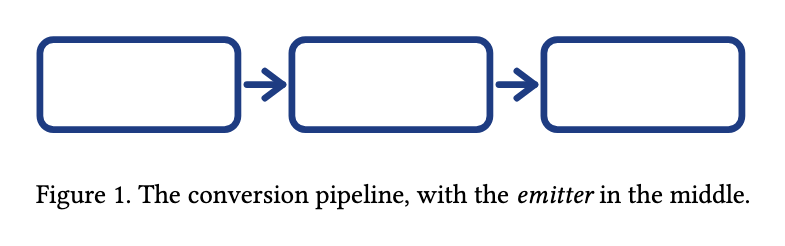
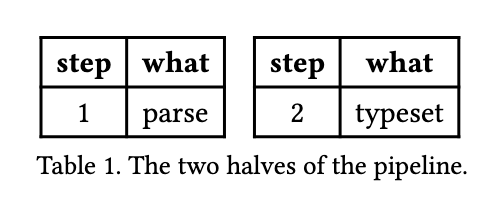
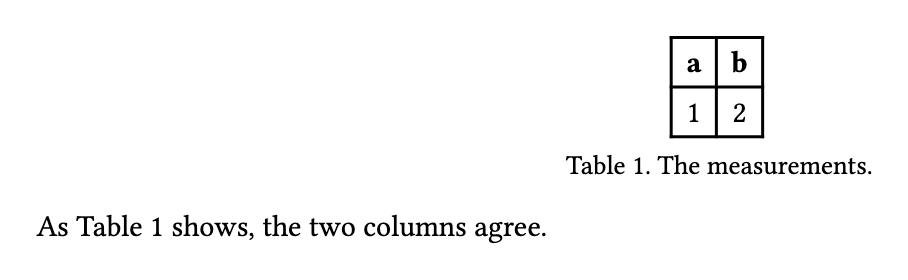
A few short markers that plain markdown prints as ordinary text. Letur turns them into
numbered tables, listings, figures and equations, and keeps every reference to them right
as the document changes around them.
Captions ·
Groups ·
Names
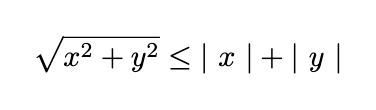
$…$ sets in the running text and $$…$$ as a
block of its own, converted in the browser rather than by a service.
md2pdf
the page Letur sets
The formula typeset as a display block, with the radical, the relation
and the bars set as math rather than as characters that resemble it.
Without Letur: the same parse, as plain HTML
\sqrt{x^2 + y^2} \leq |x| + |y|
What a printed page has
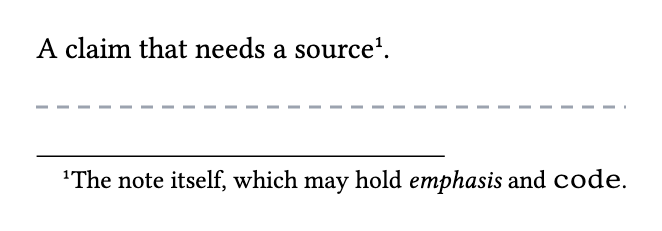
A title block, notes at the foot of the column, a list of references: things a printed
page carries and markdown has never had a way to ask for.
Frontmatter ·
Footnotes ·
Citations
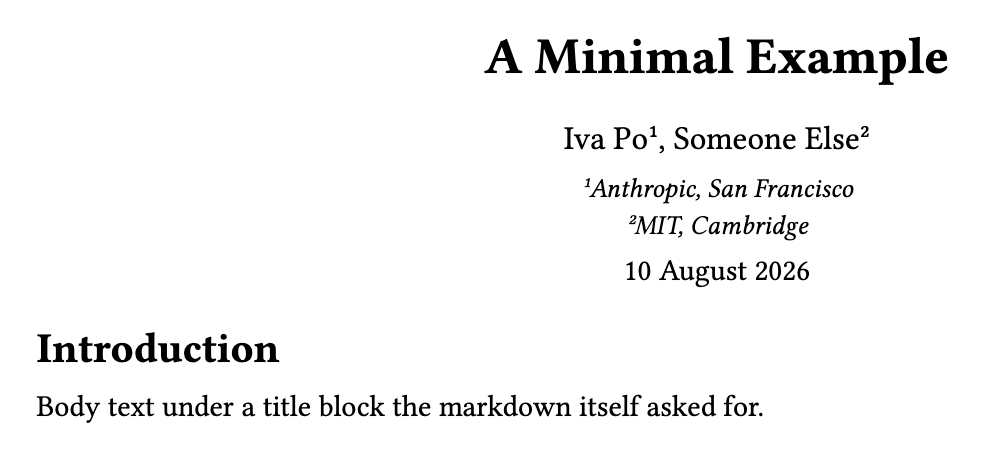
A leading --- block picks one of two looks, one or two
columns, and whether display formulas are numbered. author takes several names
separated by ;, and a ^ after one points at an
affiliation. date is your text and nothing else —
md2pdf never reads a clock.
md2pdf
the page Letur sets
A centred title block, the body in one column, and every
$$…$$ numbered (1), (2) down the page.
Without Letur: the same parse, as plain HTML
Introduction
Body text under a title block the markdown itself asked for.
A tenth frontmatter key names a bibliography — a Hayagriva
.yml or a BibLaTeX .bib, the file you already have — and
[@key] cites it. This page carries one: refs.yml, beside the
diagram.
md2pdf
the page Letur sets
A numbered mark where you cited, and the reference list set at the end of
the document under the label the look draws.
Without Letur: the same parse, as plain HTML
Typesetting was rethought from the ground up @knuth1986.
What it refuses, and says so
Letur never quietly drops what it cannot set, because a PDF that leaves out part of its
source looks finished and is wrong. It names the construct and the line instead, and these
are the sentences it shows — checked against the compiler, like every example above.
A bullet list of - [ ] items compiles, the box drawn where the
bullet was. In a numbered list the number and the box would both claim that place, so the
compiler names the line rather than choosing one.
md2pdf
Letur sets no page, and says:
unsupported markdown construct 'task list marker in an ordered list' at line 1
The dialect accepts a bounded list — the Greek letters, the relations,
sums and integrals, \frac, \sqrt, the accents, the matrix and
aligned environments. A command off it is named rather than dropped.
md2pdf
Letur sets no page, and says:
math error at line 1: unsupported command '\includegraphics'
Without Letur: the same parse, as plain HTML
A formula \includegraphics{fig.png} names a command outside the dialect.
A refusal reads the same in Letur as at a terminal: the window runs the
compiler the md2pdf command-line tool runs, built for your browser.


![A sentence ending in the mark [1], and beneath it a References list giving Knuth’s The TeXbook, Addison-Wesley, 1986](pages/citation.png)